

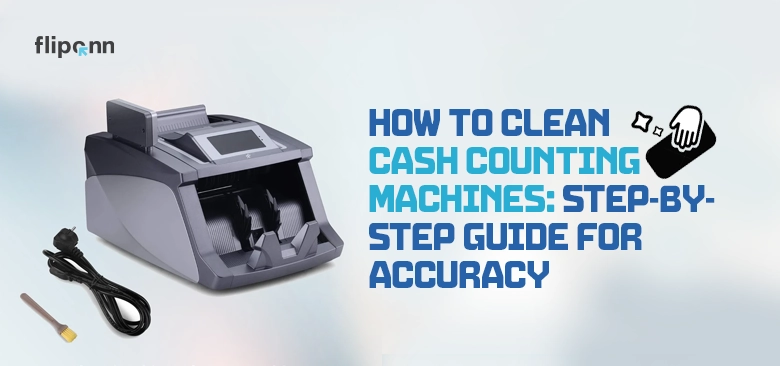
Is your cash counter acting up, miscounting bills, or frequently displaying error messages? The problem might be as simple as built-up dust.
Cash counting devices are crucial for retail, banking, and service sectors—but, like any high-speed machinery, they require consistent maintenance to ensure accurate performance. Dust, dirt, and worn-out rollers can result in exhausting problems such as jammed bills, incorrect counts, or even misleading counterfeit alerts. Luckily, routine cleaning of money counting machines is simple and quick, and it can significantly prolong their lifespan.
In this manual, we will guide you on how to clean a cash counting machine, featuring detailed step-by-step directions, necessary tools, variations in cleaning based on machine type, and responses to frequently asked maintenance queries.
Why Cleaning Your Cash Counting Machine Is Important
Routine cleaning is essential to prevent:
- Money counter inaccurately counts and gets stuck.
- Counterfeit warning due to a dirty sensor.
- Cash counting device malfunctioning.
- Bill counter fails to operate correctly in humid or dusty conditions.
- Unexpected machine failures leading to costly repairs.
By simply removing dust and grime from internal components, especially the CIS sensor surface, you restore money counter accuracy and protect your investment.
Tools You’ll Need for Cleaning Money Counting Machines
Make sure you have these on hand:
- Compressed air for the money counter (non-flammable)
- Cleaning cards for the money counter
- Lint-free microfiber cloth
- Cotton swabs
- 70–90% isopropyl alcohol
- Small screwdriver (if opening casing)
- Optional: anti-static brush for internal dust
These tools will help you safely remove dirt from bill counter components without causing damage.
Step-by-Step: How To Clean a Money Counting Machine Safely
1. Turn Off and Unplug the Machine
Always ensure the power is disconnected before cleaning to prevent short-circuiting or unintended damage..
2. Wipe the Exterior and Cash Tray
Use a microfiber cloth to softly clean the cash tray, body, and outside surfaces to eliminate dust and dirt.
3. Use Compressed Air to Blow Out Dust
Spray compressed air to clean the hopper, output tray, and sensor regions, loosening dust from difficult areas. Maintain a safe distance with the nozzle to prevent damage to sensitive electronics.
4. Clean Bill Counter Rollers
Moisten a soft cloth or cleaning card with alcohol and carefully clean the rollers. For optimal results:
- Insert the cleaning card into the machine as you would with a regular bill.
- Manually rotate the rollers if necessary to clean all areas.
5. Clean the CIS Sensor Surface
The Contact Image Sensor (CIS) is critical for accurate denomination and counterfeit detection.
- Use a dry swab or alcohol-dampened swab to clean the CIS sensor surface gently.
- Avoid pressure—these are delicate glass/plastic strips.
- Let it dry fully before turning the machine back on.
6. Clean the Internal Counting Mechanism
If your model permits internal access, cautiously open the panel and clean the counting mechanism components using a gentle brush and swabs. Remove any noticeable dust or debris.
Common Problems Caused by Dirt and Dust
Neglecting regular cleaning can cause:
- Skipped or double-counted bills
- Loud noises from unclean rollers
- Feeding mechanisms that are sticky and not responsive
- Counterfeit alert from dirty sensor
- Machine freezing or displaying random error messages
If you’re encountering these problems, it’s probably time for a money counting machine cleaning.
Cash Counting Machine Maintenance Tips
Stay ahead of breakdowns with these practices:
- Clean the machine every week or more if used frequently
- Keep in a clean, dry place
- Do not feed wet, sticky, or dirty banknotes.
- Use cleaning cards for money counter sensors and rollers regularly
- Schedule professional maintenance for money counters annually
Clean, well-maintained machines not only last longer but also maintain performance under high use — especially in areas where retailers consider cash counters essential and how regular maintenance supports uninterrupted service
How Often Should You Clean a Money Counter?
| Usage Type | Recommended Cleaning Frequency |
| Light | Every 2-4 weeks |
| Moderate | Weekly |
| Heavy | 2-3 Per week |
| Showing issues | Clean Immediately |
Why is my Cash Counting Machine not Working even After Cleaning Properly?
IIf you continue to experience issues after cleaning, these might be the reasons:
- Dust remains lodged in harder-to-reach spots.
- Moisture on sensors not fully dried
- Recalibration may be necessary.
Solution: Allow all components to dry, examine the roller areas and sensor surfaces again, use compressed air to clean, and then power the machine back on. If problems continue, refer to your manual or reach out to a technician
Conclusion: Clean Machines Count Better
Maintaining your cash counting machine is essential for ensuring precise counts, minimizing mistakes, and safeguarding your business against interruptions or fraud. Whether you have a simple counter or an advanced bill validator, keeping it clean is crucial for optimal performance.
“Don’t let dust destroy your bottom line. Start a cleaning routine today and count on accuracy, every time.”
Need help choosing or maintaining a cash counter?
Visit Fliponn for more expert tips, buying guides, and equipment maintenance resources.
FAQ
What tools do I need to clean a money counting machine?
You’ll need non-flammable compressed air, cleaning cards designed for money counters, a lint-free microfiber cloth, cotton swabs, and 70–90% isopropyl alcohol. A small screwdriver may be needed if your model requires opening the casing for internal access. An optional anti-static brush is useful for removing internal dust from sensitive components without causing static damage.
How often should I clean my money counting machine?
Cleaning frequency depends on usage volume. Light-use machines should be cleaned every 2–4 weeks, moderate-use machines weekly, and heavy-use machines 2–3 times per week. If your machine is showing symptoms such as miscounts, jams, or error messages, clean it immediately regardless of the schedule. In the UAE’s dusty environment, more frequent cleaning is generally recommended to prevent sand and dust from settling on sensors and rollers.
Can I use cleaning cards to clean my money counter?
Yes- cleaning cards are one of the most effective and safest ways to clean rollers and internal sensors. Simply dampen the card with isopropyl alcohol and insert it into the machine just as you would a regular banknote. The card travels through the counting path, wiping rollers and sensors as it passes. Manufacturer-branded cleaning cards (such as Cassida Part #CC-100) are recommended for best results and to avoid any risk of damage to internal components.
How do you clear a money counter?
To clear a money counter, start by powering the machine off and unplugging it. Remove all bills from the hopper and output tray, then check the counting path for any stuck or jammed notes, never force them out; remove them gently to avoid tearing. Use compressed air to blow out any loose debris from the feed area, sensor chamber, and output stacker. Once the machine is clear of all bills and obstructions, plug it back in, power it on, and run a small test batch of 10–20 clean notes to confirm it is feeding and counting correctly before resuming normal operation.
How do you clean a bill counter sensor?
First, power off and unplug the machine completely. Locate the sensor access area, on most models this is a panel on the side or front of the machine (refer to your manual for the exact location). Using a dry cotton swab or one very lightly dampened with 70–90% isopropyl alcohol, gently wipe the CIS sensor surface in a single direction without applying pressure, as the sensor is a delicate glass or plastic strip. For optical and magnetic sensors, use the same technique with a fresh swab. Alternatively, run a manufacturer-approved cleaning card through the machine, which will pass over the sensors automatically. Allow all surfaces to dry completely before powering the machine back on, then run a calibration cycle with clean dirham notes to confirm accuracy is restored.
How do you clean dirty currency notes before using them in a money counter?
You should never attempt to wash or wet-clean banknotes, as this damages the paper fiber, security features, and magnetic ink that the machine relies on for accurate detection. Instead, gently flatten crumpled or folded notes by hand before feeding them. Lightly brush off any loose surface dust or debris with a soft dry cloth. Separate heavily soiled, torn, or taped notes from the stack entirely and do not feed them into the machine, these should be taken to a bank for replacement. For notes that are slightly damp, allow them to air dry fully in a flat position before counting. Feeding dirty, wet, or damaged notes is one of the leading causes of sensor contamination, jams, and false counterfeit alerts, so sorting your cash before counting is one of the simplest ways to protect your machine.